
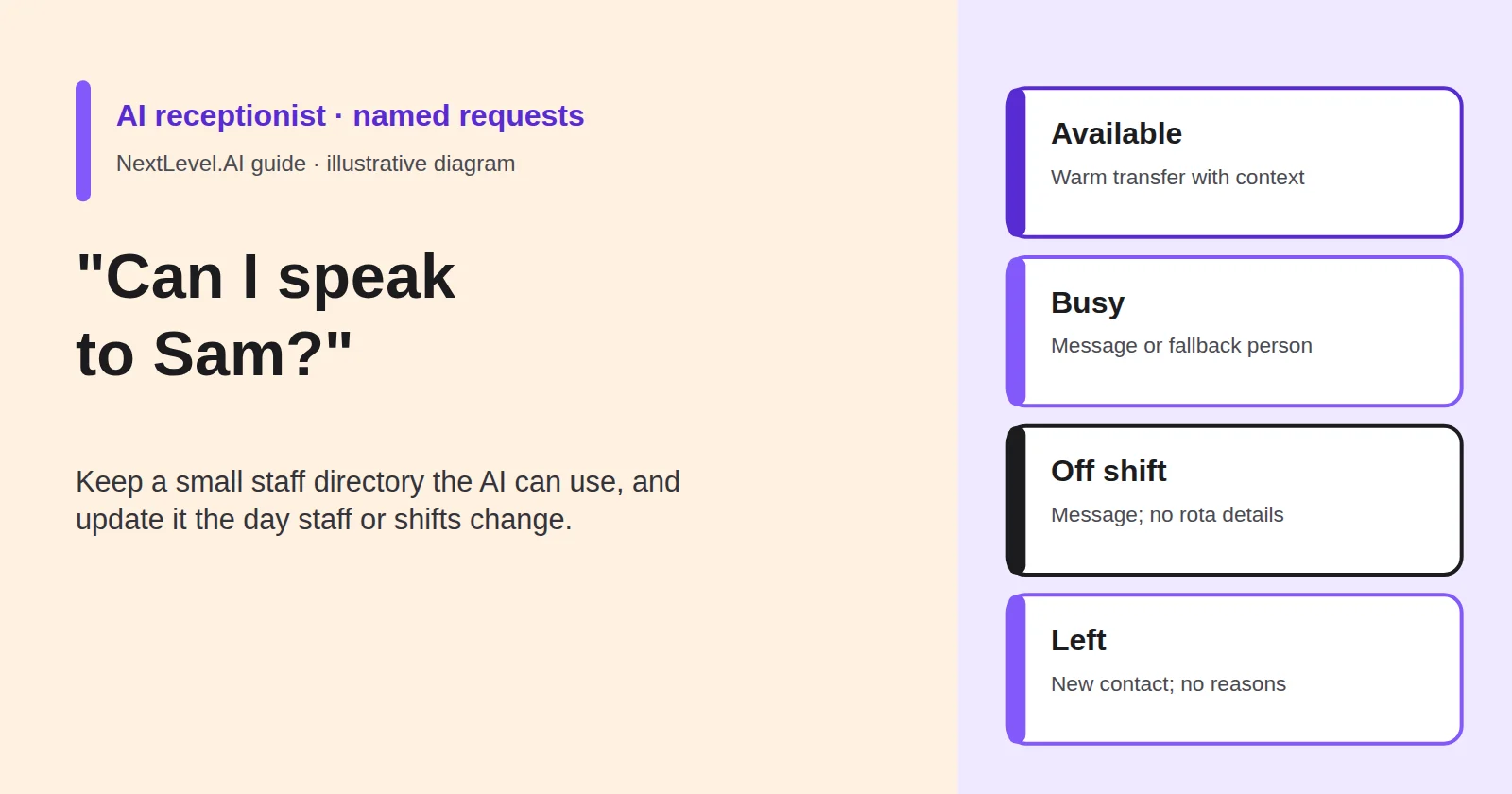
Regular customers ask for people by name. "Is Sam there?" "Can I speak to the woman who came last week?" A receptionist who knows the team handles this without thinking. An AI receptionist only knows what you have told it, and the people behind the names keep changing: new starters, shift swaps, holidays, someone leaving. This guide shows you how to keep a small staff directory the AI can use, what it should do in each of four situations, and how to update it the day something changes. It is written for owners and team leads of small service businesses. NextLevel publishes this guide and sells AI receptionist services.
Why requests for a named person go wrong
A request for a role, such as "someone in bookings," can go to whoever covers that role. A request for a name has only one right answer, and that answer changes over time. Four things trip the agent up:
- The directory is out of date. Sam left a month ago, but the agent still transfers to Sam's old extension, or takes messages for someone who will never read them.
- Callers don't use the name you wrote down. They say "Sammy," "the one who came on Tuesday," "Mr Okafor" or "the one who did our kitchen."
- Not every name is a customer. Sales reps open with "Can I speak to Sam?" to get past the front desk.
- A failed transfer to a named person feels personal. The caller asked for someone they trust, and got silence or a dead end.
None of these is fixed by a cleverer voice. They are fixed by a short directory with an owner, and a clear rule for what happens when the person can't take the call.
The directory the AI needs (and what it must never reveal)
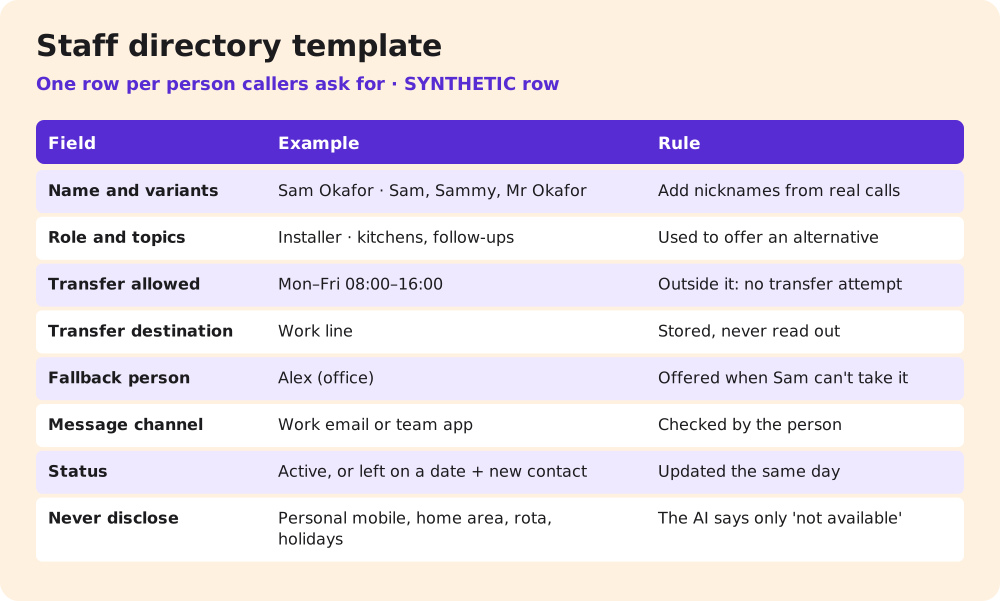
Keep one row per person who takes calls by name. A spreadsheet is enough. What matters is that one person owns it.
List only the people customers actually ask for. Everyone else is reached through a role, such as "the office" or "whoever is on call," and roles don't break when someone leaves. Fill in the name variants from real calls. After the first week, read how callers asked for people in the call summaries and add any nickname you missed. Tell each person what the directory holds about them and where their transfers and messages go. They are the first to notice when it's wrong.
| Field | Example (synthetic) | Why the AI needs it |
|---|---|---|
| Name and variants | Sam Okafor · "Sam", "Sammy", "Mr Okafor" | So "Sammy" reaches the right person |
| Role and usual topics | Installer · kitchens, follow-up visits | To offer a sensible alternative |
| Transfer allowed | Mon–Fri 08:00–16:00, not on site visits | So the AI knows when to try a transfer |
| Transfer destination | Work line (stored, never read out) | Where a live transfer goes |
| Fallback person | Alex (office) | Who to offer when Sam can't take it |
| Message channel | Work email or the team app | Where messages for Sam go |
| Status | Active · or "left on 30 Oct, now Alex" | So leavers are handled correctly |
| Never disclose | Personal mobile, home area, rota, holidays | What the AI must not say |
The "never disclose" row matters most. The AI should never give out a personal mobile number, a home address or area, or when someone is working or on holiday. "Sam isn't available right now" is enough. "Sam's off until the 14th" tells a stranger when your installer's house might be empty, and tells a competitor when your team is short. The same goes for confirming where someone is working today.
The transfer destination should be a work line or work phone, not someone's personal mobile, unless that person has agreed to it. If a transfer goes to a mobile, the person it rings should know it's a work call, which is one reason warm handoffs matter. NextLevel's AI call transfer page says its agent "tells your staff who is calling" and shares the request and summary before connecting.
Available, busy, off shift, left: four outcomes
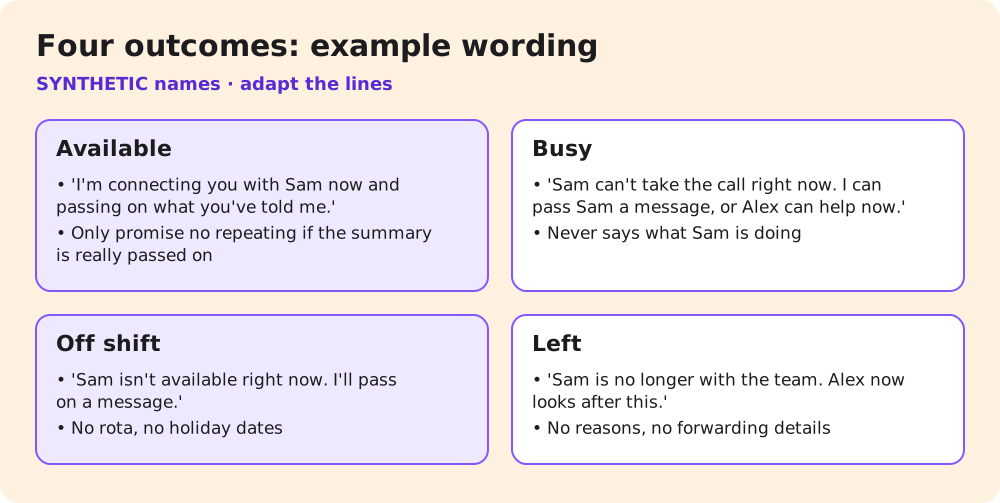
Every named request ends in one of four outcomes. Write down what the AI does in each, and it stops improvising.
Available. The person is inside their transfer window and the transfer goes through. The AI says who it's connecting and why, then passes on what the caller has already said. Promise "you won't need to repeat it" only if your setup actually passes the summary on, as NextLevel's phone scripts guide warns.
Busy. The person is inside their window, but the transfer isn't answered. The AI offers a choice: "Sam can't take the call right now. I can pass a message to Sam, or Alex in the office can help now." It doesn't say what Sam is busy with.
Off shift. The person is outside their window. The AI doesn't try the transfer. It takes a message for Sam's message channel and offers the fallback person if the matter can't wait. If the call is urgent under your rules, the urgent route applies, whoever the caller asked for.
Left. The person no longer works for you. The AI says so briefly and offers who now handles it: "Sam is no longer with the team. Alex now looks after kitchen follow-ups. Shall I put you through or take a message for Alex?" It gives no reasons, no forwarding details and no new employer. Saying that someone has left still tells any caller about their employment. If you'd rather not, the AI can skip that part: "Alex now looks after kitchen follow-ups. Shall I put you through?" Choose the wording with whoever handles privacy in your business.
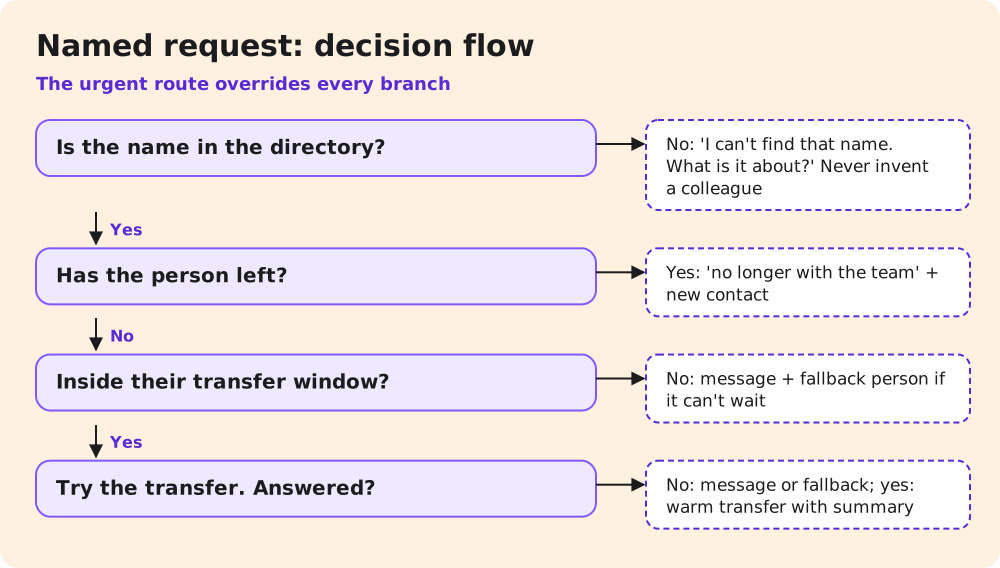
Two more cases need a line each. If the name isn't in the directory, the AI says it can't find that name and asks what the call is about. It doesn't guess or invent a colleague. If the caller is clearly selling something, the named-person rule doesn't apply. Your rule for sales calls does.
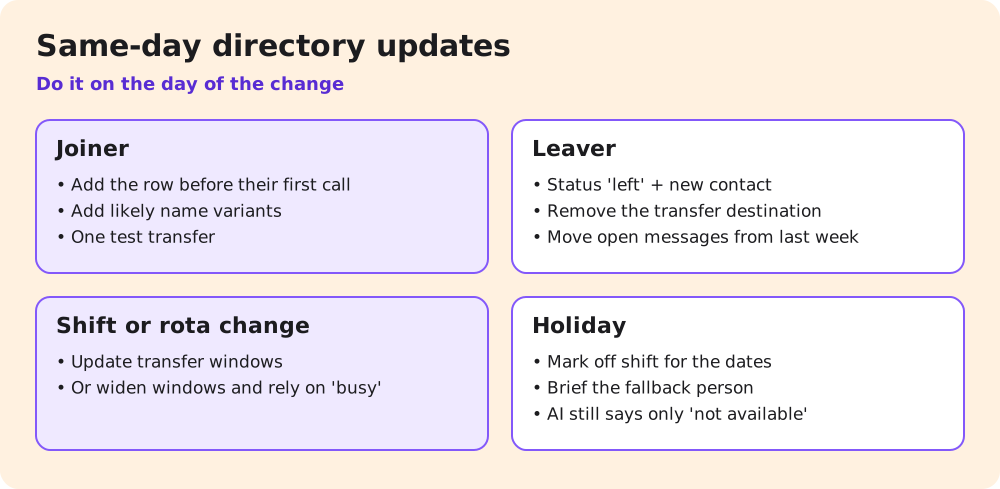
Joiners, leavers and shift changes: same-day updates
The directory is only as good as its last update. Most of the trouble comes on the day something changes, so make the update part of that day.
Someone joins. Add their row before their first customer call, including the name variants customers are likely to use. Make one test transfer to their work line.
Someone leaves. On their last day, change their status to "left," name who now handles their topics, and remove their transfer destination. Check where messages for them have been going this past week, and move anything still open. A leaver's inbox that nobody reads is where callbacks disappear.
Shifts or rotas change. Update the transfer window, not the person's row. If your rota changes weekly, update the windows weekly, or set wider windows and rely on the busy outcome.
Someone is on holiday. Mark them off shift for the dates and make sure the fallback person knows. The AI still says only "not available right now."
NextLevel's receptionist is set up with NextLevel's help. Whether you can edit the directory yourself or ask the team to update it depends on your setup, so confirm it at the start. If the team applies the changes, agree how much notice they need. Then a leaver's last day isn't the first they hear of it.
Test five named requests
Use a friend's phone and these five calls after setup, and again after every directory change:
| # | Request | Pass if |
|---|---|---|
| 1 | "Can I speak to Sam?" in Sam's window | Transfer announced; Sam hears who is calling and why |
| 2 | Same, but Sam doesn't answer | Message or fallback offered; no detail about what Sam is doing |
| 3 | "Is Sammy there?" outside Sam's window | Recognised as Sam; message taken; no rota or holiday mentioned |
| 4 | A request for someone who has left | Your agreed wording (for example, brief "no longer with the team"); new contact offered; no reasons given |
| 5 | A request for a name you've never used | "I can't find that name"; asks what it's about; no invented colleague |
Check the record for each call too. The message should reach the right channel, and the leaver test shouldn't create a message for the leaver.
For call 1, ask Sam what they heard before the caller was connected. If Sam got a ringing phone and no context, the transfer works but the handoff doesn't. For call 3, try the nickname and the surname, because those are the forms the directory most often misses. A call passes only when the caller heard the right thing and the record went to the right place. When a call fails, fix the directory row or the rule behind it, then re-run that call and any other call that uses the same row. A leaver's row usually affects calls 4 and 5.
Getting set up with NextLevel
For qualified prospects, a working prototype is typically ready in about 2 weeks; NextLevel then tunes it to your business. This is a typical time, not a guarantee. You can keep your number and connect it by call forwarding or over a SIP trunk; NextLevel supports both.
Next step: book a 30-minute call from the pricing page and bring your staff directory, so the team can build it into a prototype you can put through the five test calls. For when a call should go to a person at all, see the AI-to-human handoff guide.
FAQ
Should the AI say a person has left the company?
A short "no longer with the team" plus the new contact is usually clearer than pretending they're unavailable. Callers otherwise keep asking. If you'd rather not confirm that someone has left, offer only the new contact: "Alex now looks after this. Shall I put you through?" Decide the wording once, with the person leaving if you can.
Can callers get a staff member's direct number?
Not from the AI. It transfers or takes a message. Staff can give their own work number to customers if you allow it.
What if two staff members share a first name?
Add surnames or roles as variants, and let the AI ask: "Do you mean Sam in installations or Sam in the office?"
Sources
- NextLevel: AI call transfer, phone scripts, AI-to-human handoff, pricing, all read 9 November 2026.