
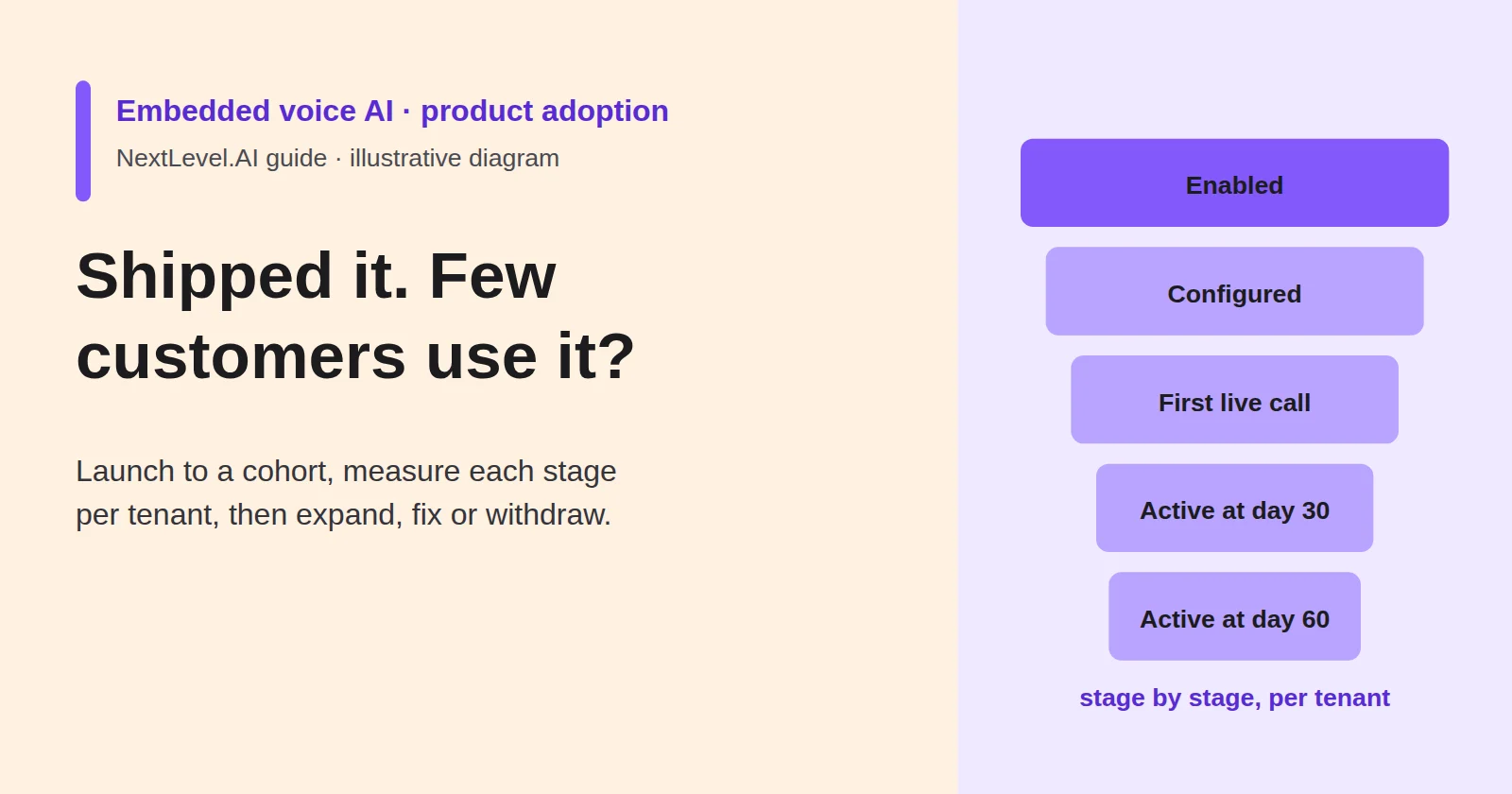
Your product team shipped a voice feature inside your platform. Customers can switch it on, connect it to their account and let their own users talk to it. Three months later, the usage chart is nearly flat, and nobody can say whether the problem is the feature, the setup, or the fact that most customers never noticed it.
A single usage number cannot answer that question. Adoption of an embedded feature happens in stages, and each stage happens in a different place: the customer's admin enables it, someone configures it, their users start calling, and some keep calling. This guide shows how to launch to a defined cohort, measure each stage per customer account, find where accounts stall and decide whether to expand, fix or withdraw. It is vendor-neutral and uses a fictional cohort. NextLevel sells voice agents and runs a partner programme. This article does not describe NextLevel SDK or API capabilities.
Choose the launch cohort
If you launch to every customer at once, you learn slowly and support thinly. A cohort gives you a group small enough to support properly and large enough that one customer's experience does not decide the result.
Select customer accounts (tenants) that:
- have the use case the feature was built for, such as a high share of the calls or requests it handles;
- have an admin who has agreed to configure it and to give feedback;
- can supply what the feature needs to work, such as content, phone routing or permissions;
- are covered by the contract terms and data agreements the feature requires;
- are not in a regulated situation the feature has not been reviewed for.
Mix account sizes and regions so the result is not an artefact of one segment. Keep a comparison group of similar eligible accounts that do not get the feature yet, if your release process allows it. Write down why each tenant was included. When the results come in, you will want to know whether the cohort was representative or simply enthusiastic.
Set the decision rules before launch, too. Agree what stage-by-stage numbers would lead you to expand, fix or withdraw, and at which checkpoint you will decide. If you set them afterwards, the rules tend to fit whatever the numbers turned out to be.
Define the adoption funnel and its denominators
Track adoption at two levels. Tenant adoption asks whether the customer account has set up and kept using the feature. End-user usage asks how many of that customer's own users call it, and with what outcome. A tenant with one heavy user and a tenant with fifty light users look the same on a tenant count and very different on usage.
For tenant adoption, define each stage by an event your product can record:
| Stage | Definition (event) | Denominator |
|---|---|---|
| Enabled | Feature switched on for the tenant | Tenants in the cohort |
| Configured | Required setup completed, for example content loaded and routing set | Enabled tenants |
| First live call | First call from a real end user, excluding the tenant's own tests | Configured tenants |
| Active at day 30 | At least the agreed minimum of real calls in the 14 days before day 30 | Tenants with a first live call |
| Active at day 60 | Same rule, measured at day 60 | Tenants active at day 30 |
Measure day 30 and day 60 from each tenant's first live call, not from the launch date, so late starters are not counted as failures.
Report each stage two ways: as a share of the previous stage, which shows where accounts stall, and as a share of the cohort, which shows the overall result. Set the activity threshold to fit the feature. A feature for a weekly task needs a different minimum from one for hourly requests. Once set, keep the definition fixed for the whole cohort.
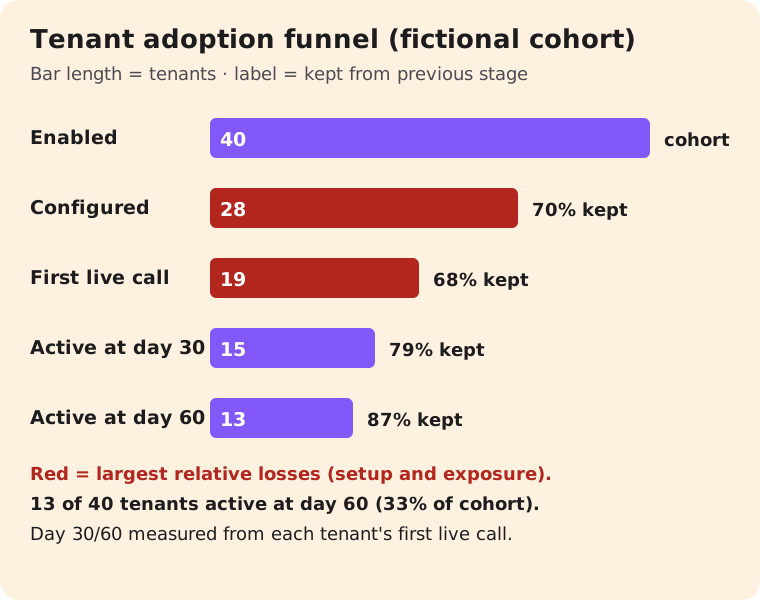
Here is a fictional cohort of 40 tenants:
| Stage | Tenants | Of previous stage | Of cohort |
|---|---|---|---|
| Enabled | 40 | — | 100% |
| Configured | 28 | 70% | 70% |
| First live call | 19 | 68% | 48% |
| Active at day 30 | 15 | 79% | 38% |
| Active at day 60 | 13 | 87% | 33% |
Read this way, the result is clearer than "33% adoption". Day 30 to day 60 holds up well. The largest losses come earlier, at configuration and at the first live call, where roughly a third of the remaining tenants drop out at each stage.
Instrument and report per tenant
The funnel needs events, and the events need to be recorded in your product, not reconstructed from billing or support tickets afterwards. At minimum, record per tenant:
- tenant ID and cohort name;
- enabled date, configured date and first live call date;
- real calls in the last 14 days, with test calls excluded and test numbers listed;
- outcome counts: completed, handed to a person, ended early, failed with an error;
- support tickets opened about the feature, and the admin contact;
- current stage and status (active, at risk or inactive), with a reason code when status changes.
Two practical rules help. Separate test traffic from the start, because a tenant that runs twenty test calls and no real ones looks active on a raw call count. Also decide which of these fields the tenant itself may see. If you share an adoption report with customer admins, each tenant should see only its own data. Usage figures should not expose the content of their users' calls beyond what your agreements allow.
The build-or-embed guide makes a related point about ownership. Who can disable the feature for a tenant, and what happens to calls in progress, should be decided before launch and visible in this report.
Find the drop-off step and its likely cause
Each stage tends to fail for a different reason, so look at the stage with the biggest relative loss first and pull the evidence that belongs to it.
| Stalls between | Likely cause | Evidence to pull | First fix to test |
|---|---|---|---|
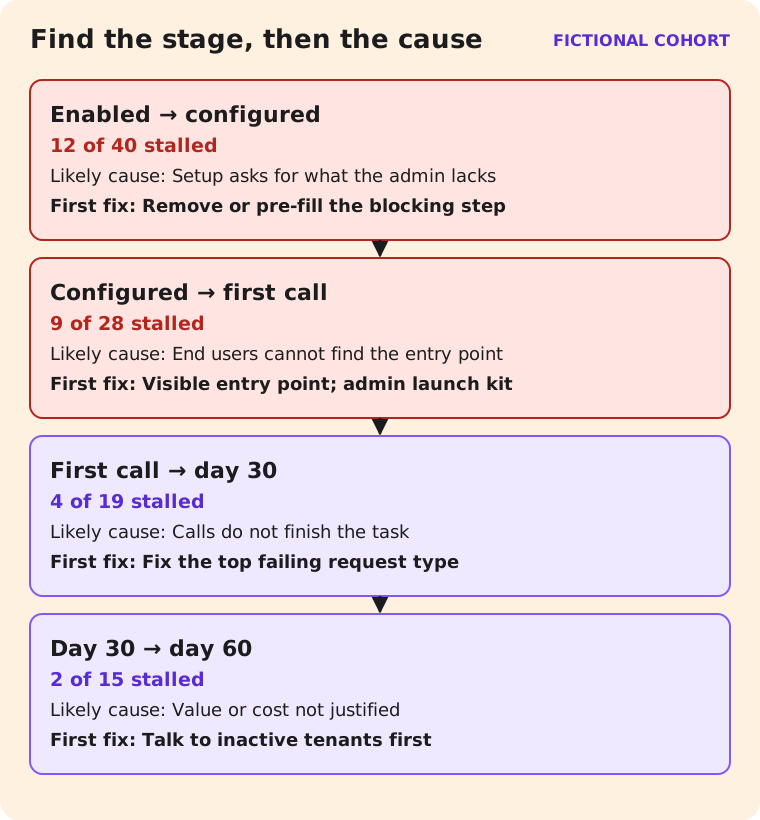
| Enabled → configured | Setup asks for things the admin does not have, or nobody owns it | Setup step where tenants stop; support tickets | Remove or pre-fill a setup step; assign a named contact |
| Configured → first live call | End users cannot find it, or the tenant has not exposed it | Where the entry point appears; tenant comms | Make the entry point visible; give admins launch material |
| First call → active at day 30 | Calls do not finish the task | Outcome mix; early-ended calls; handoffs | Fix the top failing request type first |
| Day 30 → day 60 | Value or cost does not justify continued use | Usage trend; admin feedback; any usage charges | Talk to inactive tenants before changing the product |
In the fictional cohort, 12 of 40 enabled tenants never finished setup. Suppose their support tickets show that eight of the twelve stopped at the same step: connecting a phone number. That is a product fix, not a marketing problem. Nine configured tenants never had a real call. Suppose a check shows that six of them had placed the entry point on a settings page their users rarely visit. That is something to fix in the launch material you give admins.
Talk to tenants at each stage, too. Event data shows where accounts stopped. A short conversation with the admin usually shows why.
Expand, fix or withdraw
At the checkpoint you set before launch, compare the funnel with your decision rules and choose one of three outcomes:
- Expand when the stage-by-stage rates meet the rules you set, end-user outcomes are acceptable, and support load per tenant is manageable. Expand to the next cohort, not to everyone.
- Fix when one stage clearly accounts for most of the loss and a specific change addresses it. Make the change, then run it with the next small cohort and the same definitions, so the two funnels can be compared.
- Withdraw when tenants that do reach live use still do not keep using it, or the calls do not complete the task after fixes. Plan the exit as carefully as the launch: tell tenant admins, disable the feature cleanly, and settle what happens to their configuration and data.
If you kept a comparison group, use it here. Compare the cohort's feature-related support tickets and its end users' outcomes for the same requests with the comparison accounts over the same period. A change that shows up in both groups comes from the season or the market, not from the feature.
In the fictional cohort, the decision would be to fix: setup and exposure account for 21 of the 27 tenants lost, while tenants that reached day 30 mostly stayed. Withdrawing would discard the strongest signal in the data.
Talk through an embedded prototype
If you are planning an embedded voice feature, or re-planning one that has stalled, NextLevel's partner programme page lists SaaS platforms among the partners it works with and describes the current commercial terms. Bring your feature description, your intended cohort and your funnel definitions to a conversation about an embedded prototype. Terms and technical fit are confirmed during that conversation, not assumed in advance.
FAQ
How large should the launch cohort be?
There is no universal number. It should be small enough that you can support every tenant personally and large enough that one tenant's experience does not decide the result.
Should we count calls or tenants?
Both, separately. Tenant stages show whether accounts adopt the feature. End-user calls and outcomes show whether it is useful to the people who call.
When should we decide?
At a checkpoint agreed before launch, measured from each tenant's first live call, using rules you wrote down in advance.
Does this article describe NextLevel's embedding tools?
No. It is vendor-neutral. Embedding capabilities and terms are confirmed for a specific product during scoping.