
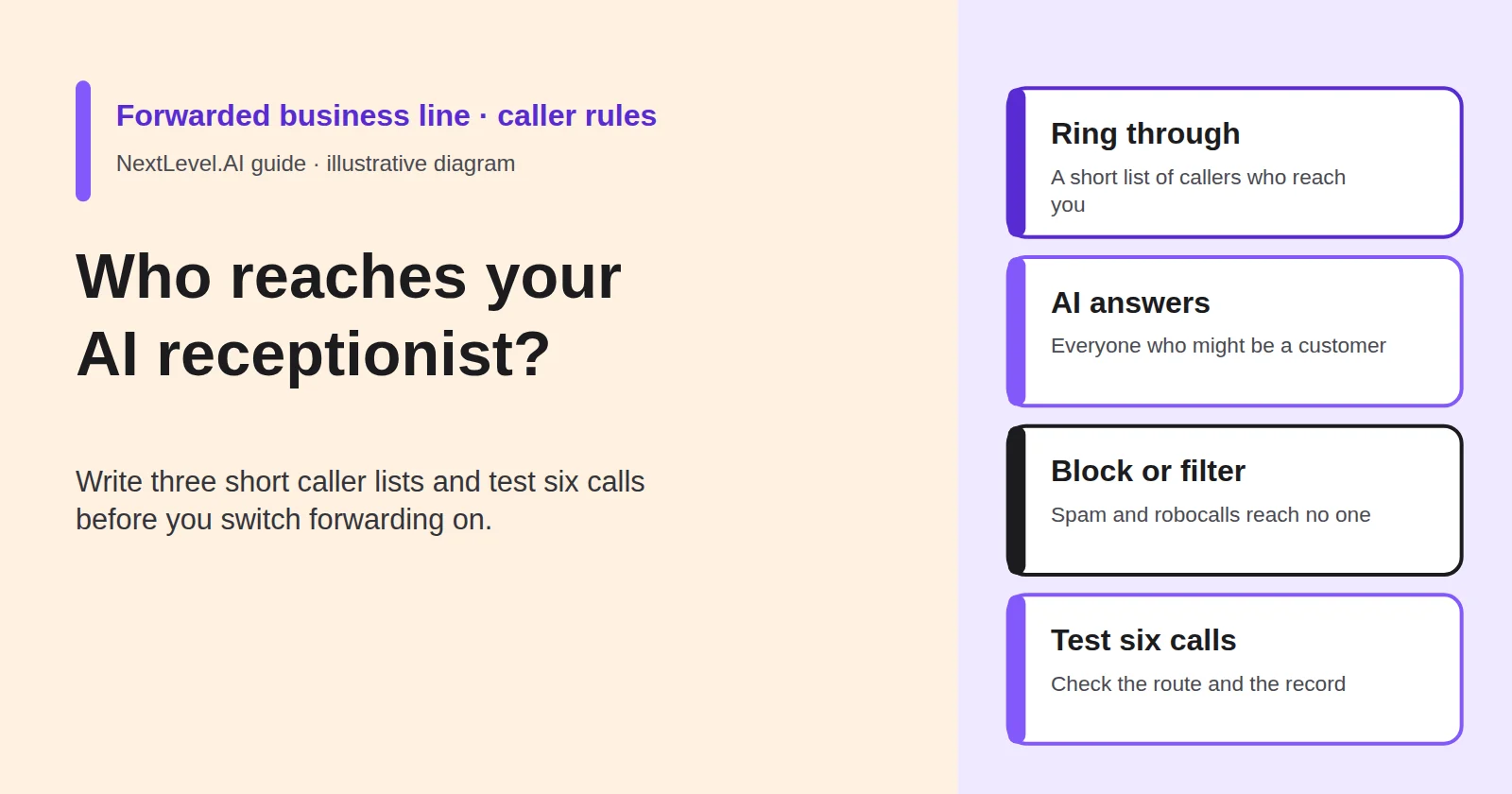
You are about to forward your business line to an AI receptionist. Before you switch it on, settle three questions. Who should still reach you directly? Who should the AI answer? Who shouldn't reach either of you? This guide helps you write those three lists, decide where each rule is set (your phone, your carrier or phone system, or the agent), and test six calls before you rely on them. It is written for owners of small service businesses in the US and UK who are keeping their existing number. NextLevel publishes this guide and sells AI receptionist services.
Why "forward everything" is the wrong default
Forwarding every call is the simplest setting, and it changes more than it seems. With unconditional forwarding your own phone goes quiet. Verizon's help page, quoted in NextLevel's guide to connecting your business number, says plainly that "your mobile phone won't ring." Your partner, your biggest client and your child's school all reach the AI first. So does every robocall that gets past the network, and the receptionist plans on NextLevel's pricing page are sized in voice minutes per month.
Conditional forwarding (when you don't answer, are busy or can't be reached) has the opposite problem. Everyone rings you first. The AI only sees what you miss, and that includes the spam call you let ring out.
Neither setting decides who the AI is for. You decide that with three short lists:
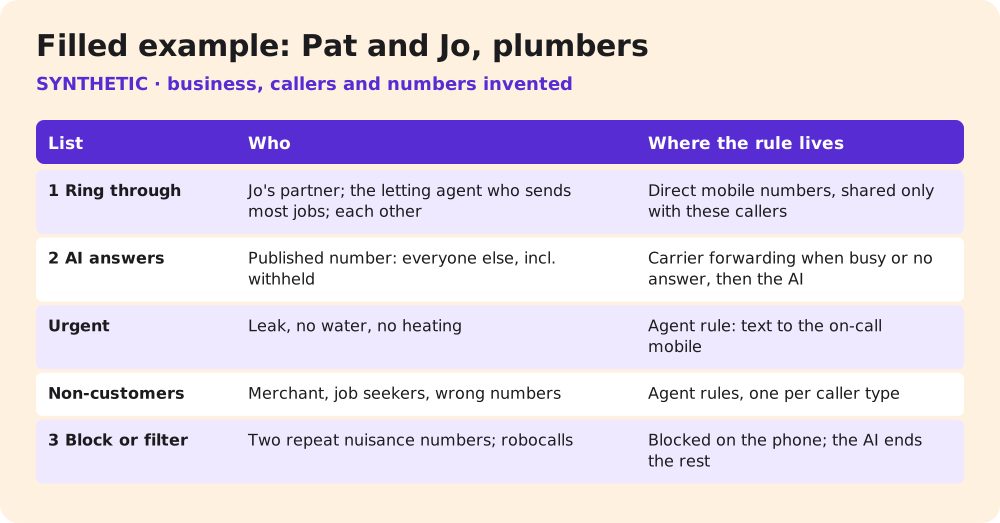
- Ring through: callers who should reach a person, not the AI.
- AI answers: everyone else who might need something from the business, including numbers you don't recognise.
- Block or filter: callers who shouldn't reach anyone.
Write them before forwarding goes live, while changing a setting costs you nothing.
List 1: callers who should ring straight through (and the cost of too many)
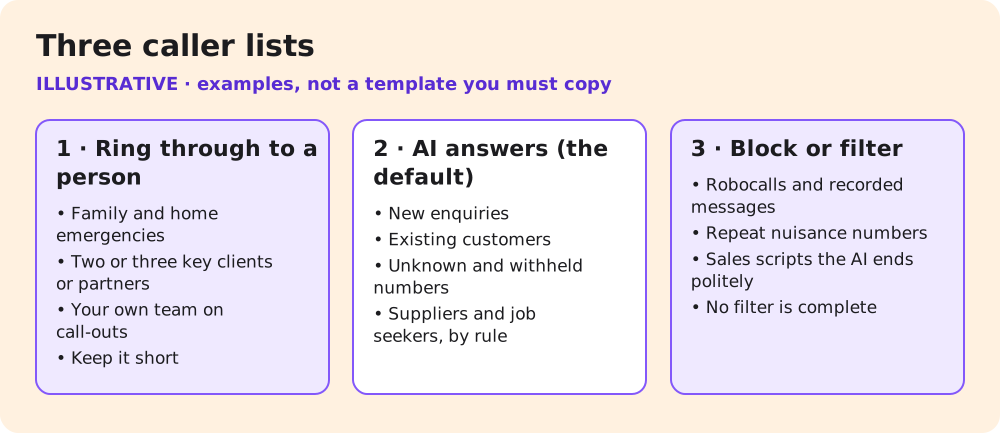
Ring-through is for callers where a delay or a scripted answer costs more than an interruption:
- family, and anyone who would call about something wrong at home;
- the two or three clients or partners whose calls you'd take in the middle of a job;
- your own team out on call-outs, especially a new starter in their first weeks.
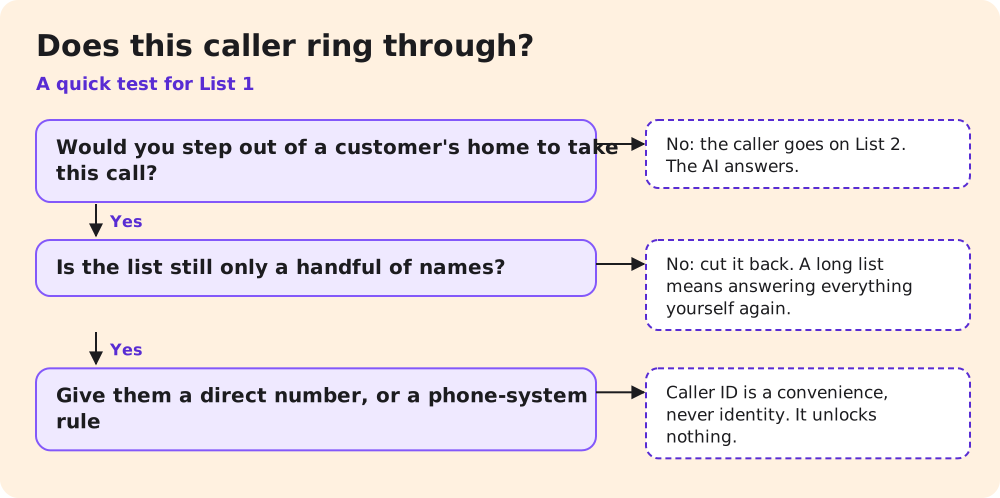
Keep the list short. Each name on it is a caller who will interrupt you on a roof or in a customer's kitchen. Every number you add moves you back towards answering everything yourself, which is the problem the AI was meant to solve. A useful test: if you wouldn't step out of a customer's home to take this call, the caller belongs on List 2.
Two limits apply to any ring-through list. First, it runs on caller ID, and caller ID is not identity. The FCC warns that scammers "often use caller ID spoofing to make their calls appear legitimate" (FCC). A ring-through rule is a convenience. It must never unlock account details, payments or anything else that needs caller authentication. Second, on a forwarded line the AI may not see the caller's real number. The number guide notes that this "depends on the carrier, so test caller ID before going live."
Often the simplest ring-through route needs no rule at all. Give these few people a different number, such as your mobile or a direct line, and keep the published number for customers. The list then lives in your contacts, not in a setting someone has to maintain.
List 2: callers the AI should answer, including withheld numbers
The AI's list is not a list of names. It is the default: new enquiries, existing customers rebooking or asking about a job, and callers you have never seen before.
Withheld and unknown numbers belong here. Some customers call from work lines that show no number, or from phones set to hide caller ID. If you block withheld numbers, you block those customers too. Let the AI answer, find out what the caller needs and take their details. If a withheld caller turns out to be a sales pitch, the AI can end the call politely (see List 3).
Two kinds of List 2 caller need a rule written for the agent rather than a phone setting:
- Urgent work. Decide what counts as urgent for you, such as a leak, no heating or a lockout, and where the AI sends it: an on-call number, or a text to you. Then an urgent caller isn't left with only a message. Life-safety emergencies are different. The AI's only job there is to direct the caller to emergency services, as the AI receptionist phone scripts guide sets out.
- Callers who aren't customers. Suppliers, job seekers and wrong numbers still reach the AI. Give it a short rule for each, so they don't turn into fake enquiries.
Whatever the caller wants, the AI shouldn't guess. If it doesn't know a price or your hours, it should say so and offer a callback.
List 3: spam and robocalls — what carriers filter, what you block, what the AI ends politely
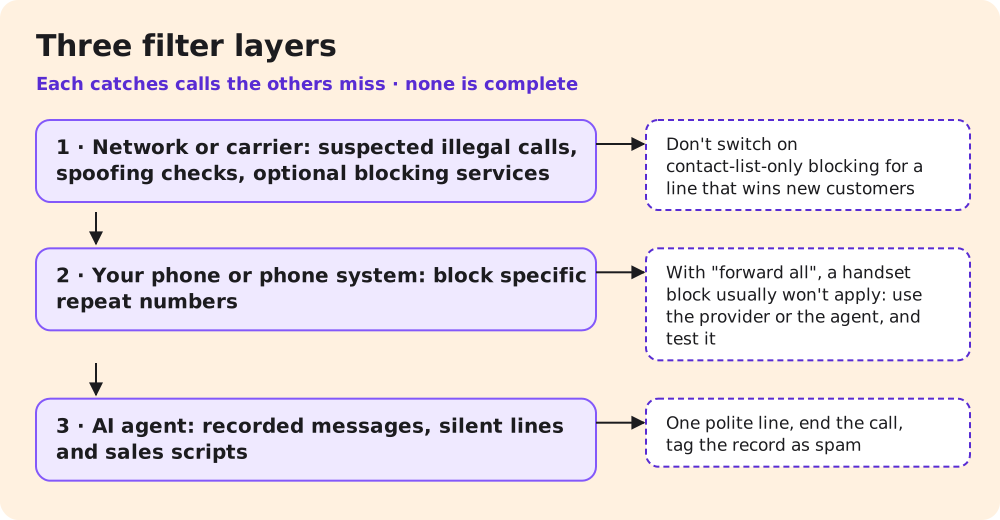
Unwanted calls are stopped at three layers, and each layer catches different calls.
The network. In the US, the FCC says it has "empowered phone companies to block suspected illegal calls" and "required caller ID authentication to reduce illegal spoofing." It advises people to talk to their phone company about the call-blocking tools it offers (FCC). The FCC also lets carriers block numbers that aren't on a customer's contact list when the customer opts in. Don't switch that on for a line that has to win new customers: every new enquiry comes from a number that isn't on your list. In the UK, Ofcom notes that your phone or broadband provider "may offer additional call blocking services, though they may charge you a fee for this." Ofcom describes the Telephone Preference Service (TPS) as a way "to reduce unsolicited marketing calls" and points to a separate Corporate TPS (CTPS) for business numbers (Ofcom). A register won't stop callers who ignore the rules. No network filter is complete. Expect some spam to get through and some genuine calls to be labelled wrongly.
Your phone. Ofcom notes that "most smartphones and many landline phones let you block specific numbers." Use this for the repeat nuisance caller you can name. If you forward all calls, a block on your handset usually won't apply, because the call is forwarded before it reaches the phone. Use your provider's blocking or the agent's spam rule instead, and confirm with call 3 in the test below.
The agent. Whatever gets through, the AI should recognise and end quickly: a recorded message, a silent line, a sales script. It says one polite line, such as "Thanks for calling. We're not interested. Goodbye," ends the call and tags the record as spam, so it stays out of your enquiry list. It doesn't argue, ask questions or promise a callback. Whether numbers can be blocked on NextLevel's side, before the agent answers, is something to confirm during setup. Also ask how answered spam calls count towards your minutes. The answering service cost guide treats spam and repeat calls as a billing question to settle up front.
Where each rule lives: phone system, carrier, or agent
Put each rule at the earliest layer that can apply it reliably, and write down where it lives. When you take on a new starter or change carrier six months from now, you will need to find it.
| Rule | Your phone or handset | Carrier or phone system | AI agent |
|---|---|---|---|
| Ring through for family and key clients | Simplest: give them a direct number | Caller-based routing, if your hosted phone system offers it | Possible only as "answer, then transfer at once": confirm in setup |
| Answer unknown and withheld numbers | Don't block them | Don't turn on contact-list-only blocking | Default behaviour |
| Block one repeat nuisance number | Block on the phone, if calls still ring it first; with "forward all", a handset block usually won't apply | Provider blocking service, possibly paid: the route that also works with "forward all" | Confirm in setup; otherwise the spam rule ends the call |
| Network spam filtering | — | The carrier's tools; ask what is on by default | — |
| End robocalls and sales pitches | — | — | One polite line, end the call, tag as spam |
| Urgent work | — | — | Your urgency rule and on-call route |
| Suppliers, job seekers, wrong numbers | — | — | One short rule per caller type |
If your number is on a hosted VoIP service or an office phone system, the number guide notes that you set forwarding and routing rules in the provider's admin dashboard, not with dialling codes. A mobile number forwarded with carrier codes gives you very little caller-by-caller control. That is why the direct-number route for List 1 is often the most reliable. Avoid setting the same rule in two places. When a call goes wrong, two overlapping rules are hard to untangle.
Rules for the agent need to be written down for whoever configures it. NextLevel sets up its receptionist with your help, so these rules go into the setup brief rather than a settings page you manage alone.
Work through the layers in order. Start with your carrier: ask which spam tools are on by default, and whether the caller's number passes through a forward. Then your phone: blocks, plus the direct number for List 1. Finish with the agent: the urgency, spam and non-customer rules in the setup brief. Keep the finished sheet with your phone account details. It is also what you will hand over if you ever change provider.
Test six calls before you rely on the rules
Make these calls from real phones after forwarding is on, and check the call record for each one. Ask two people to help, so the calls come from numbers that aren't yours. For each call, note the time, what the caller heard and what the record shows. A call passes only if both the route and the record are right. A spam call that the AI ended but logged as a new enquiry still fails.
| # | Call from | Expected result |
|---|---|---|
| 1 | A family member's number | Reaches you (or your direct number), not the AI |
| 2 | A key client's number | Reaches you, not the AI |
| 3 | A number you have blocked | Not answered as an enquiry: blocked by your provider (or by your phone, if calls still ring it first), or ended by the AI in one line and tagged as spam |
| 4 | A phone with caller ID withheld | The AI answers, takes the details and doesn't refuse the call |
| 5 | A friend acting as a new customer | The AI answers, captures name, number and need; the record arrives |
| 6 | A friend acting as a supplier | Handled by the supplier rule; not logged as a new enquiry |
For calls 1, 2 and 5, check whether the caller's real number appears in the record. If it shows your own number or nothing at all, caller ID isn't passing through the forward, and every caller-based rule needs a rethink. Fix one rule at a time, then re-run every call that rule affects, not just the one that failed. Repeat all six whenever you add someone to List 1, change carrier or change the forwarding setting.
Getting set up with NextLevel
NextLevel's receptionist is set up with NextLevel's help. You can keep your number and connect it by call forwarding or over a SIP trunk; NextLevel supports both, so agree the connection with the team before you choose a forwarding setting. For qualified prospects, a working prototype is typically ready in about 2 weeks; NextLevel then tunes it to your business. This is a typical time, not a guarantee.
Next step: book a 30-minute call from the pricing page and bring your three lists, so the team can build them into a prototype you can put through the six test calls.
FAQ
Should I block all unknown numbers?
No, not on a line that takes new enquiries. New customers are unknown numbers. Block specific repeat offenders, and let the AI end the obvious spam that gets through.
Can the AI recognise my regular customers?
NextLevel's AI answering page says the agent can recognise known customers from your data. Confirm in setup how that works with your records and your forwarded line. Treat a match as a convenience, never as proof of who is calling.
Will spam calls use up my minutes?
Ask before you start. NextLevel's receptionist plans are sized in voice minutes per month, so check how answered spam is counted and how quickly the agent ends it.
Does registering with CTPS stop robocalls?
Not on its own. Ofcom describes TPS as a way to reduce unsolicited marketing calls, with a separate CTPS register for business numbers, and says legitimate marketers must check the register before calling. A register doesn't stop callers who ignore the rules.
Sources
- FCC, Stop Unwanted Robocalls and Texts, last updated 27 February 2026, read 9 November 2026.
- Ofcom, Unwanted calls, texts and emails, published 15 July 2026, read 9 November 2026.
- NextLevel: connect your business number, pricing, AI answering, phone scripts, answering service cost, all read 9 November 2026.