
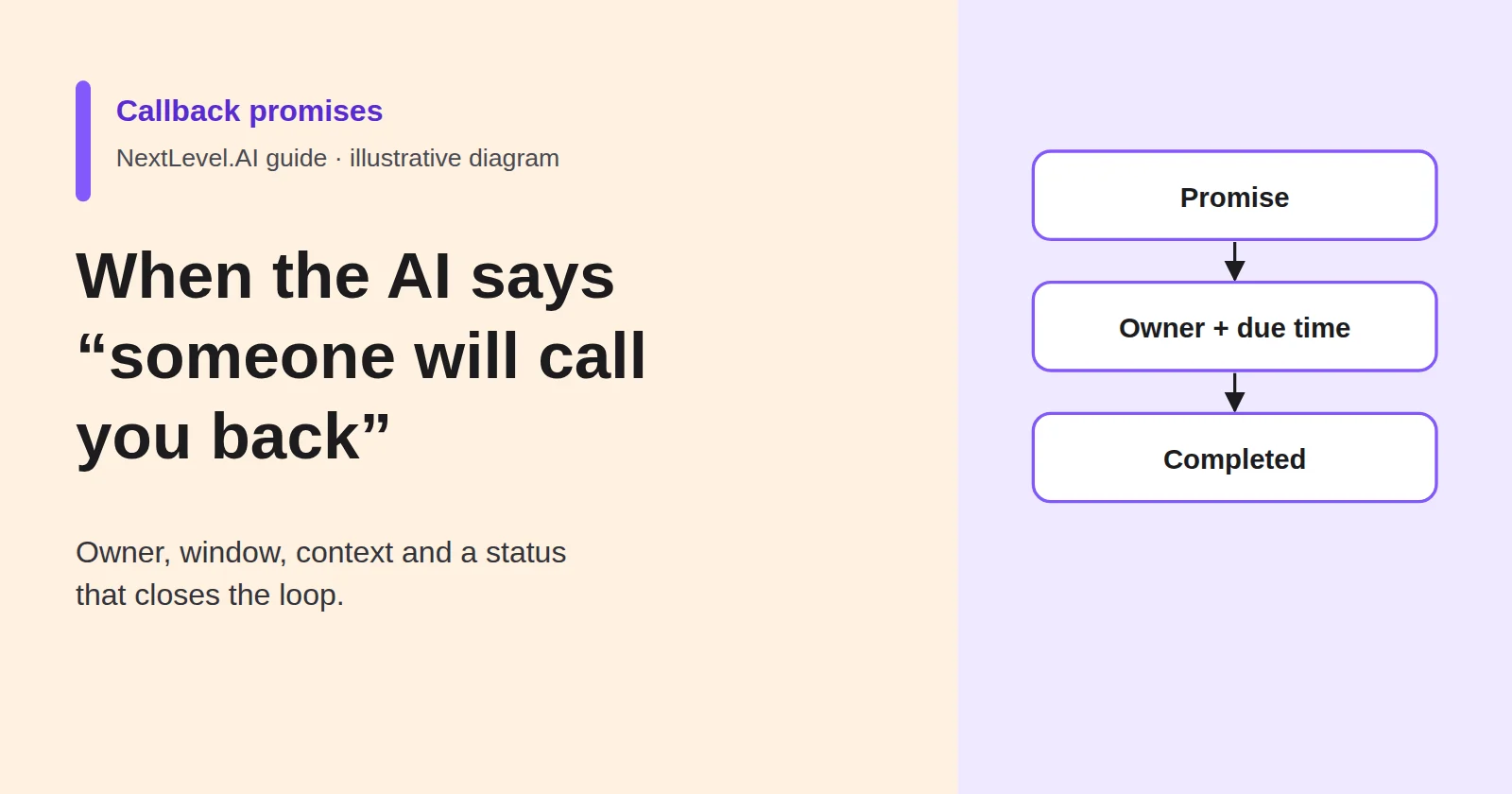
A caller asks something your voice agent cannot answer: a price you never gave it, a question about an invoice, a job someone needs to see before quoting. The agent does the right thing. It does not guess. It takes the details and says someone will call back, and the caller hangs up reassured.
Whether that reassurance was justified depends on what happens next, and that part is not the agent's job. This guide shows how to write a callback rule (what the AI may promise, who owns the callback, by when, what context goes with it and what happens if nobody calls) and how to check each week that promised callbacks were made. NextLevel sells voice agents; every example below is fictional.
A callback promise is a commitment, not a polite ending
To the caller, "someone will call you back" is the result of the call. They stop looking. A caller who reached voicemail may try the next business on the list; a caller who was promised a callback has every reason to stop looking. A callback that never comes therefore costs you the enquiry and the caller's trust at once, and you rarely hear about it.
Offering a callback is often correct. When the agent does not know a price or your hours for a holiday week, the safe behaviour is to leave the answer unknown and offer a callback rather than invent one. NextLevel's AI call transfer page describes the same fallback for transfers: when no live route is available, the workflow can log the attempt, keep the captured details, schedule a callback and notify the right person or queue according to your rules.
Scheduling is only the start. As NextLevel's guide to AI lead follow-up puts it, "A scheduled call is not a completed callback." That guide covers sales follow-up. This one covers the service side: a caller who needs an answer from a person in your business.
Decide what the AI is allowed to promise (and never a time it cannot keep)
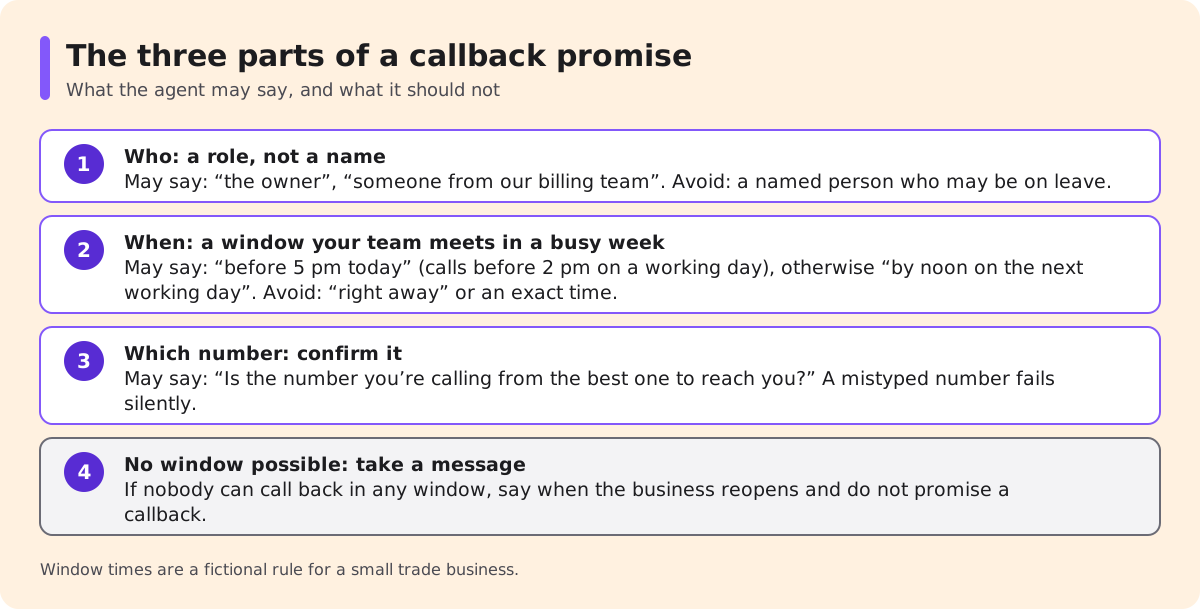
A callback promise has three parts the caller will remember: who will call, when, and on which number. Write down what the agent may say for each before launch.
Who. A role, not a name, unless you keep a rota the agent can rely on: "someone from our billing team", "the owner", "one of our engineers". A named person who turns out to be on leave makes the promise false on day one.
When. Only a window your team meets in its busiest normal week, stated in your business hours. A fictional rule for a small trade business: calls before 2 pm on a working day get "before 5 pm today"; later calls and weekend calls get "by noon on the next working day". Because the window depends on the time of the call, the agent never promises "this afternoon" at 4:55 pm.
Which number. Confirm it. A callback to a mistyped number fails silently.
| The agent may say | The agent should not say |
|---|---|
| "I can't confirm that price on this call. I'll pass your details to the owner, who will call you back before 5 pm today." | "Someone will call you right away." |
| "Is the number you're calling from the best one to reach you?" | "They'll do it for £80." (a promised answer, not a callback) |
| "If you'd prefer a particular time, I'll note it and the team will aim for it." | "Sam will call you at 3:15." (a named person and an exact time) |
| "We're closed until Monday. I'll take a message and the team will see it when they're back." | "Someone will call you over the weekend." (outside the hours you staff) |
If nobody can call back within any window, for example because the owner is away and nobody covers, the agent should take a message, say when the business reopens and not promise a callback at all. A message described honestly as a message keeps expectations right.
Before launch, test the boundary of your own rule: have someone call at 1:55 pm and again at 2:05 pm on a working day, and once on a Saturday, and check that the agent offers the right window each time.
Give every callback an owner, a window and the call context
The agent's promise becomes real only when it lands with a person who knows it is theirs. Three fields make that happen.
Owner. One role per callback type, plus a default owner for anything that fits no type. "The team" is not an owner: when everyone can see a callback, everyone can assume someone else took it.
Window. The window the agent promised, written on the record as a due time rather than a phrase. The clock starts when the call ends. Out-of-hours calls start the clock at opening time, which is why the agent's wording for them differs.
Context. Enough that the person calling back does not have to ask the caller to start again. NextLevel describes answering workflows that can create a task or capture a structured message with the conversation summary and the details already collected (AI answering service). Which destination your setup writes to (a task list, your CRM, email or a text) is something to confirm when scoping.
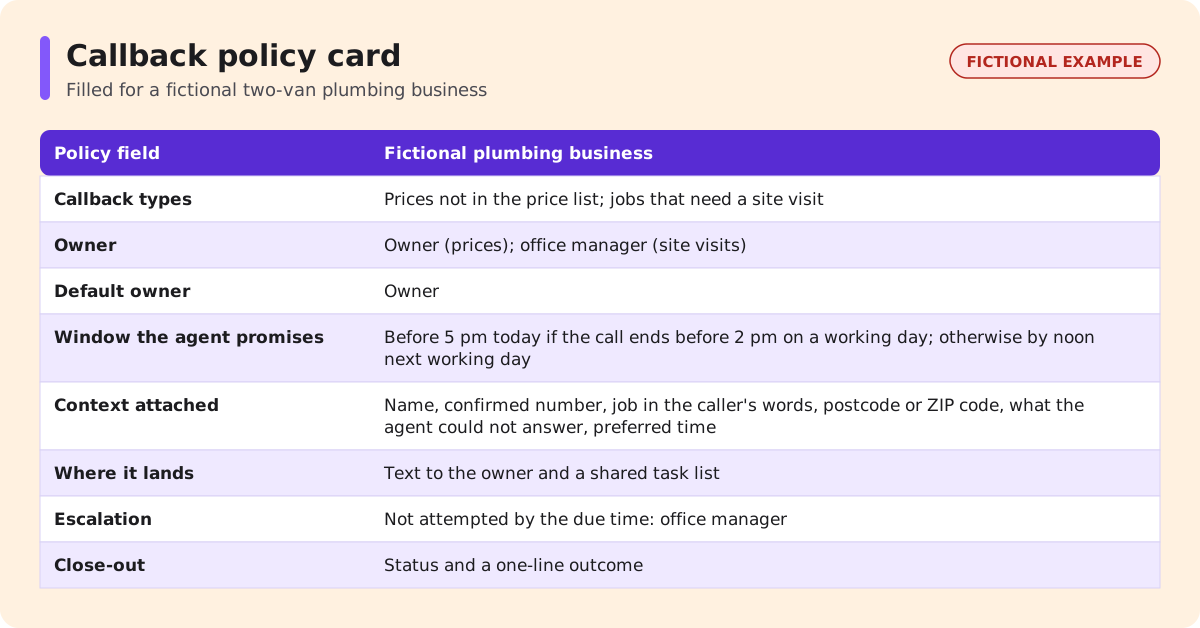
| Policy field | Fictional two-van plumbing business | Fictional software support queue |
|---|---|---|
| Callback types | Prices not in the price list; jobs that need a site visit | Billing disputes; account changes the agent may not make |
| Owner | Owner (prices); office manager (site visits) | Billing queue (disputes); tier-2 support (account changes) |
| Default owner | Owner | Support team lead |
| Window the agent promises | Before 5 pm today if the call ends before 2 pm on a working day; otherwise by noon next working day | By 12:00 next working day, caller's time zone |
| Context attached | Name, confirmed number, job in the caller's words, postcode or ZIP code, what the agent could not answer, preferred time | Name, account reference the caller gave, issue summary, what the agent already told the caller, preferred time |
| Where it lands | Text to the owner and a shared task list | Ticket in the support queue |
| Escalation | Not attempted by the due time: office manager | Not attempted by the due time: team lead |
| Close-out | Status and a one-line outcome | Ticket status and an outcome note |
The two examples differ for a reason. The plumbing owner is on site most of the day, so the callback reaches them as a text they will see between jobs, with the task list as the record. The support queue already works from tickets, so a callback that lives anywhere else would be invisible to the team.
Two fields deserve attention. "What the agent could not answer" tells the person calling back why the call exists. "What the agent already told the caller" stops the callback contradicting it. If the caller asked for a time, record it with their time zone; the lead follow-up guide lists requested time, time zone, owner and channel as the core of a callback request. Where the callback involves an account change, identity checks belong to the callback, not the original call; NextLevel's guide to caller authentication covers that boundary.
"Queued" is not "done": statuses that close the loop
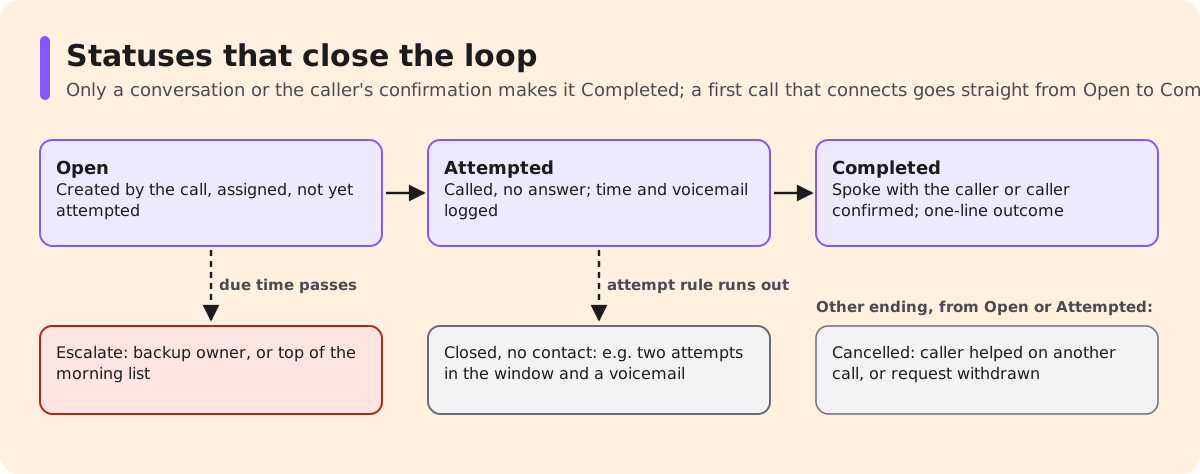
A callback record needs a status that says what actually happened, not what was planned. Five statuses are enough for most teams:
- Open: created by the call, assigned to an owner, not yet attempted.
- Attempted: someone called and did not reach the caller; log the time and whether a voicemail was left.
- Completed: someone spoke with the caller, or the caller confirmed in writing that the question was answered, and a one-line outcome is recorded.
- Closed, no contact: your attempt rule ran out, for example two attempts inside the window and a voicemail saying how to reach you.
- Cancelled: the caller rang back and was helped, or withdrew the request.
Two rules keep these honest. Only a conversation or the caller's confirmation makes a callback Completed; a dialled number does not. And an Open callback past its due time escalates to the backup owner, or sits at the top of whatever list the team checks each morning, so lateness is visible on the day it happens.
When the same caller rings again while their callback is open, whoever answers should know. If your setup can match the caller's number against open callbacks, the agent can acknowledge the pending callback instead of creating a second one; whether that matching is available in your configuration is a question for scoping. Without it, checking the open list becomes part of how staff handle repeat callers.
Weekly check: promised, completed, overdue
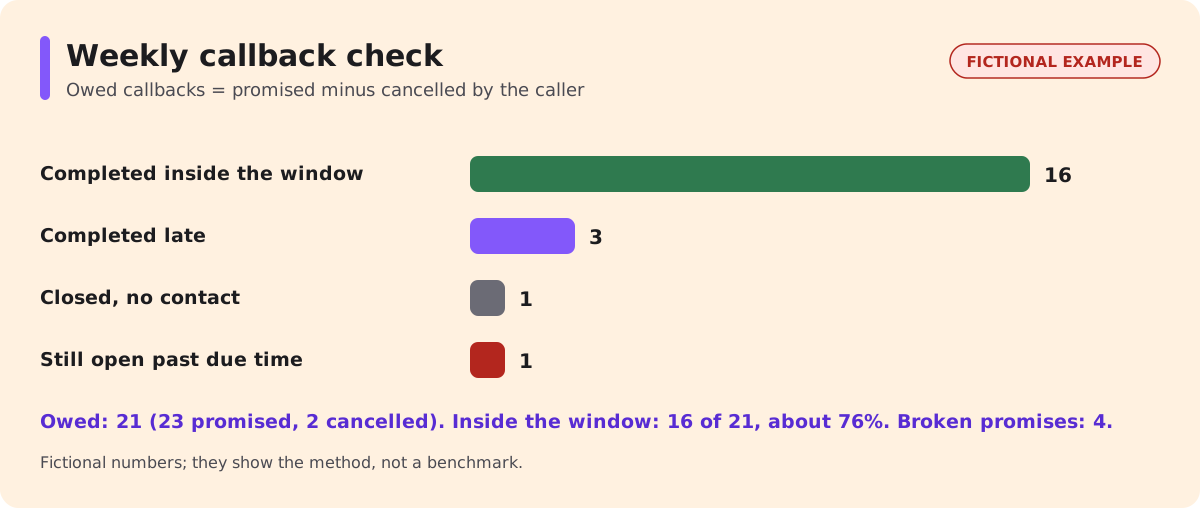
Once a week, count five numbers from the callback records: promised, completed inside the window, completed late, closed without contact, and still open past the due time. Leave out callbacks the caller cancelled, because nobody was owed a call. "Inside the window" means the Completed time is at or before the due time written on the record; a first attempt inside the window followed by a conversation the next day counts as late.
| Fictional week | Callbacks |
|---|---|
| Promised by the agent | 23 |
| Cancelled by the caller (excluded) | 2 |
| Owed | 21 |
| Completed inside the window | 16 |
| Completed late | 3 |
| Closed, no contact | 1 |
| Still open past the due time | 1 |
In this fictional week, 16 of 21 owed callbacks (about 76%) were completed inside the promised window. The more useful number is the four promises broken: three late and one still open. Read those four records and ask one question of each: was the window wrong, the owner wrong, or the context too thin to act on?
Then run the check the counts cannot do: compare what the agent said with what was recorded. Open a handful of calls in which the agent offered a callback, using the recordings, transcripts or summaries your plan provides, and confirm that each produced a record with the promised window. A callback the agent promised but nobody recorded never appears in any count, which makes it the most expensive failure here.
Change one thing a week (a window, an owner or a context field) and note it, so the next week's numbers show whether it helped.
If the callback itself is automated: a separate decision
Everything above assumes a person in your business makes the callback. Some teams want the AI to place it instead. That is an outbound call, and its consent, AI disclosure, calling hours and recording notices may follow different rules from the inbound call where the promise was made, in the US and the UK and depending on purpose. Treat it as a separate project and check with counsel before switching it on. NextLevel's guide to voice AI consent and disclosure and its explainer on the FCC's AI voice ruling are starting points, not legal advice. The owner, window and status rules apply either way.
FAQ
How fast should a callback be?
There is no universal standard. Choose a window your team meets in a busy week, state it in hours, and tighten it only when the weekly check shows you keep it.
What if the caller doesn't pick up?
Follow a fixed attempt rule, such as two attempts inside the window and a voicemail saying how to reach you, then close the record as "no contact" instead of leaving it open.
Should the agent promise a time or a window?
A window. An exact time is a promise a busy team often cannot keep.
Can a callback be booked into a calendar slot?
If the agent is connected to your calendar, a callback can be offered as a booked slot, and it then needs the same owner and status rules. Which calendars and actions your setup supports is confirmed during scoping, and setup is done with NextLevel's help.
Next step
If your voice agent already offers callbacks, or you are about to set one up, book a 30-minute call with the NextLevel team from the pricing page and bring your callback types, owners and windows to talk through. For what the agent does on the call, see the AI answering service page. The rules above stay useful whichever system you choose.