
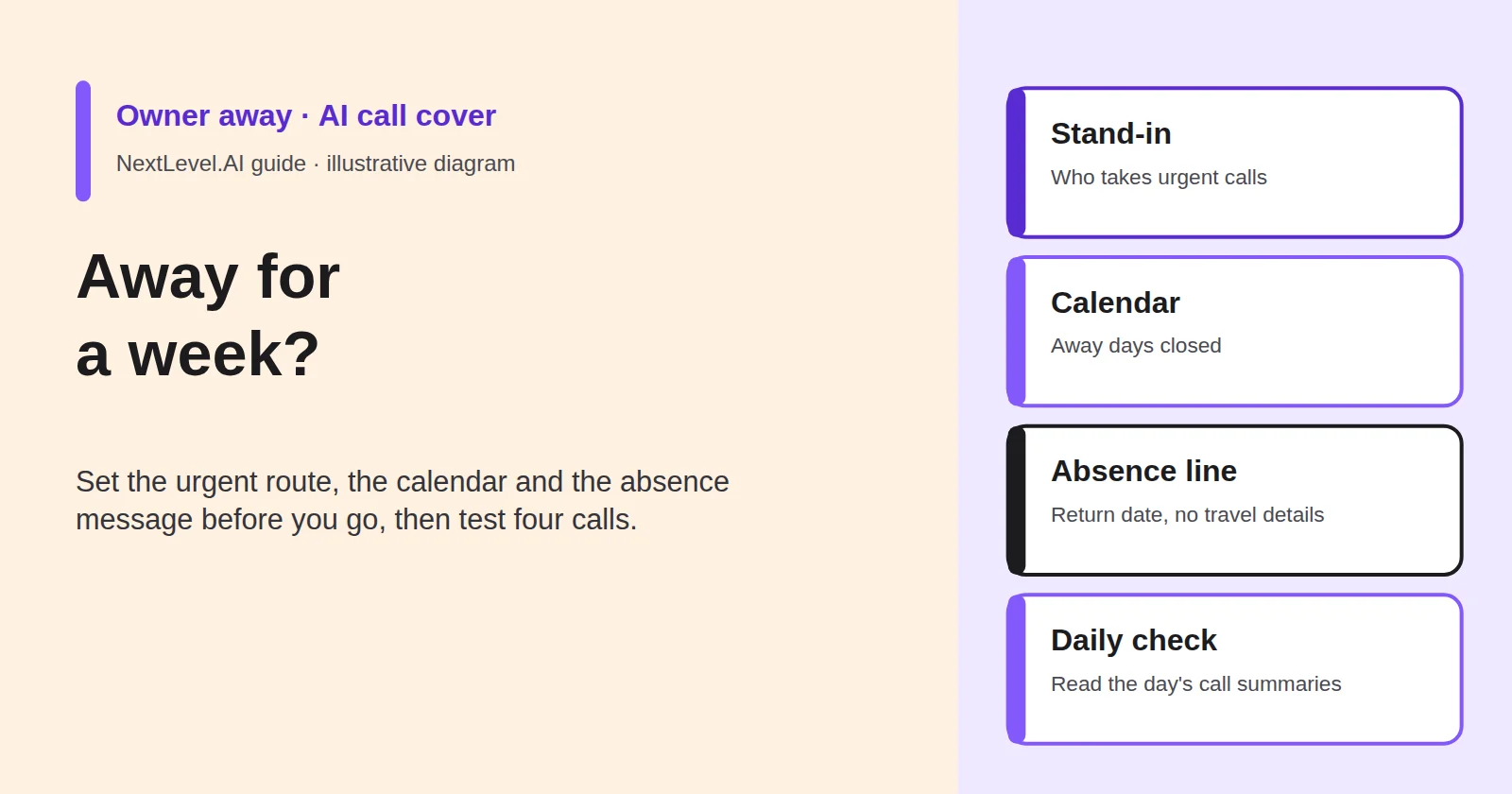
You're taking a week off, and your AI receptionist will keep answering the phone. That is the easy part. What you need to plan is everything around the answer: who gets the urgent calls while you're away, which dates customers can no longer book, what the AI tells people about your absence, and how you check on things from your phone without being dragged back to work. This guide walks through a seven-day cover plan for an owner-operator, with a filled synthetic example and four test calls to make before you leave. NextLevel publishes this guide and sells AI receptionist services.
What changes when you are away (and what must not)
In a normal week, your AI receptionist covers the calls you miss and passes anything urgent to you. While you're away, three of its settings point at things that no longer work:
- The urgent route goes to you. You're on a beach or a plane, or simply off duty.
- The calendar is open. The AI can book customers into days when nobody will turn up.
- "Someone will call you back" is still the promise. Nobody will, until you're back.
Some things must not change. Customers should still reach a polite answer, enquiries should still be captured, and life-safety calls should still be told to contact emergency services. An AI receptionist isn't an emergency service. Keep the life-safety line from your phone scripts exactly as it is.
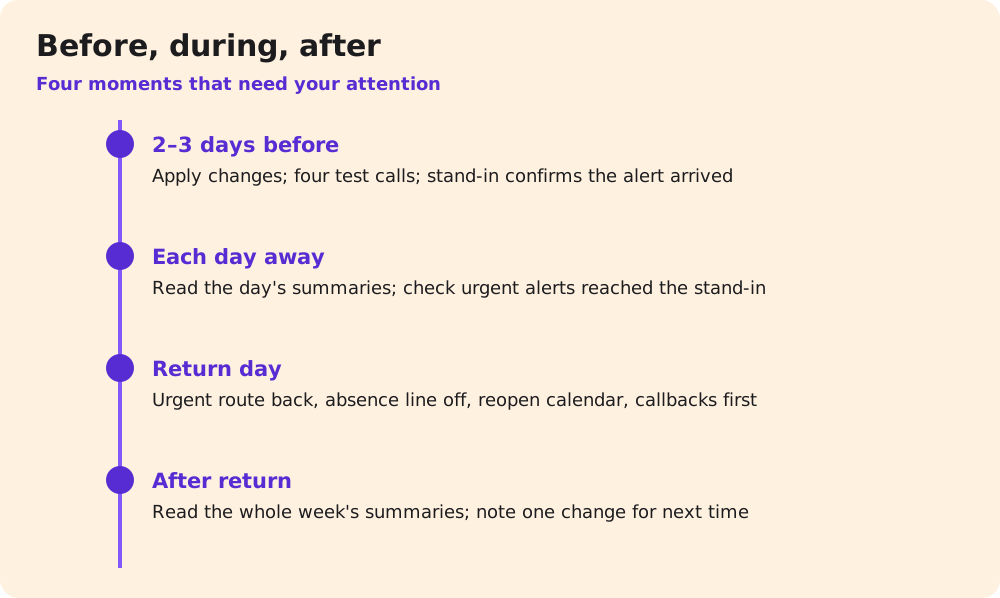
Plan the week as four changes (urgent route, calendar, absence message, enquiry handling), one test session before you go, a short daily check while you're away and a switch-back on the day you return.
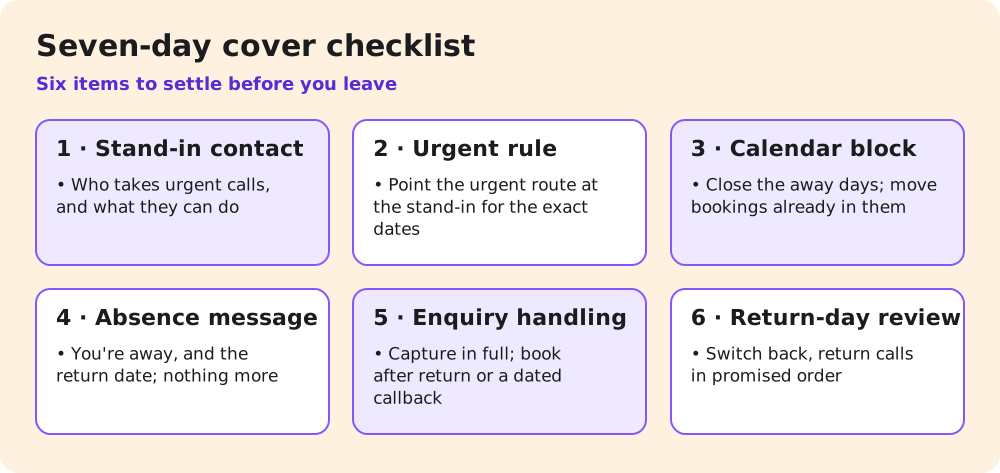
Name a stand-in and change the urgent route
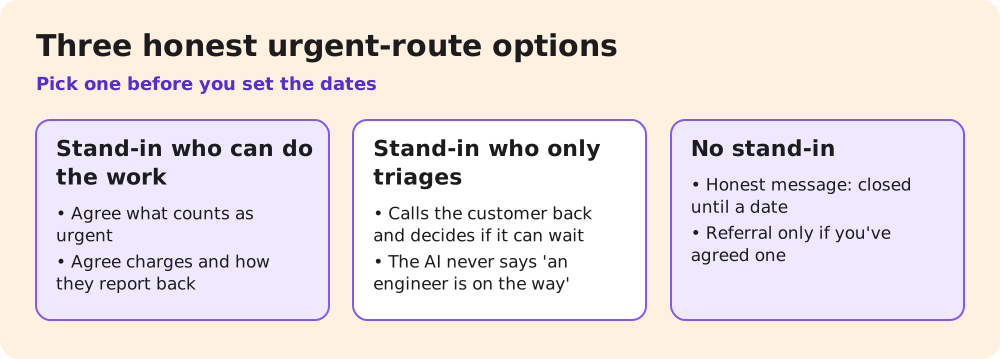
Decide first who takes urgent calls while you're away. There are three honest options:
- A stand-in who can do the work. A trusted tradesperson or a colleague agrees to take your urgent calls for the week. Agree in advance what counts as urgent, what they'll charge and how they'll tell you what they did.
- A stand-in who only triages. A partner or office helper takes the urgent alert, calls the customer back and decides whether it can wait. They can't fix anything, but the caller isn't left with silence.
- No stand-in. The AI's urgent route becomes an honest message, not an alert to nobody: "We're closed until Tuesday the 17th. If this can't wait, you'll need another provider." Add a referral only if you've agreed one.
Then point the urgent route at that choice. If urgent calls normally trigger a text or call to you, change the destination to the stand-in for exactly the dates you're away. Give the stand-in a short note: what the AI sends, what the caller has been told, and how to reach you if something is truly serious.
Don't let the AI promise what the stand-in can't deliver. If your stand-in triages, the AI says "someone will call you back today to see how we can help," not "an engineer is on the way."
Close the calendar, keep taking enquiries
Block the days you're away in the calendar the AI books into. NextLevel's receptionist page says the agent "checks live availability," so blocked days should stop it offering those slots. Test it all the same (call 2 below). Consider blocking your first day back as well. You'll need it for callbacks and for the jobs that came in while you were away.
Check the bookings already in those days before you block them. A blocked calendar stops new bookings. It doesn't move the customer who booked three weeks ago. Call those customers yourself, rebook them, and note anyone who might ring the AI to ask whether the visit is still on.
Closing the calendar doesn't mean closing the business. Keep capturing enquiries in full: name, number, address with postcode or ZIP, the job, and how soon they need it. Then the AI can do one of three things, depending on what you choose:
- book the job into the first open slot after your return, if your calendar allows bookings that far ahead;
- take the enquiry with a promise of a callback on a named date after you're back;
- for urgent work, use the stand-in route above.
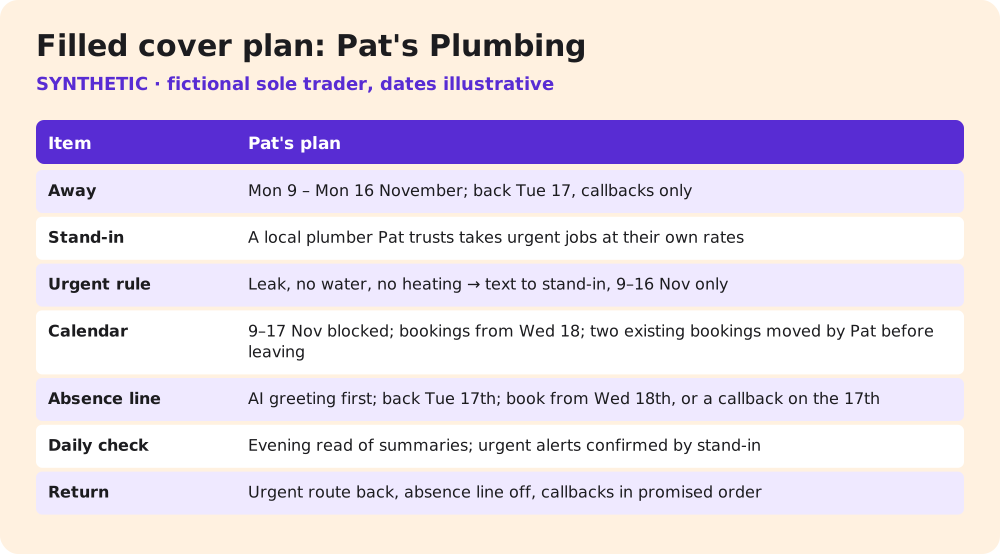
The promise must match the plan. If you'll return calls on Tuesday the 17th, the AI says Tuesday the 17th, not "as soon as possible." Record which promise each caller received, so you can keep it on your first day back.
What the AI says about your absence
Callers need two facts: you're away, and when they'll hear back. They don't need where you are, why you're away or that the house is empty. Keep the absence line short and practical:
AI: "Thanks for calling Pat's Plumbing. I'm the AI assistant. Pat is away and back on Tuesday the 17th of November. I can book you in from Wednesday the 18th, or take your details so Pat can call you back on the 17th. If it's urgent, I can pass it to our cover contact now."
Three rules for the wording:
- Give a return date, not "next week."
- Don't mention travel or an empty home.
- Keep the AI identity line at the start of the call as usual, as in the example above. The absence wording adds to the greeting. It doesn't replace the disclosure.
If you have regular customers who must be told before they call, such as a weekly contract, tell them yourself before you go. The AI can only inform the people who ring.
Use the same dates everywhere a customer might look: your website, your email auto-reply, your listing and any text replies. If the website says you're back on the 14th and the AI says the 17th, callers will believe whichever suits them. Then they'll call on the 14th. Pat's Plumbing is a synthetic example. Swap in your own business name, dates and cover contact.
Test before you leave; check from your phone while away
Two or three days before you go, apply the changes and make four test calls from a friend's phone:
| # | Test call | Pass if |
|---|---|---|
| 1 | Urgent: "water's coming through the ceiling" | Stand-in gets the alert; caller hears the agreed wording |
| 2 | Booking for a day you're away | Only dates from your first bookable day are offered (Wednesday the 18th in the example) |
| 3 | Routine enquiry | Details captured; callback promised for your named return date |
| 4 | "Can I speak to Pat?" | Absence line used; no travel details; message taken |
Testing a few days early leaves time to fix what fails. If call 1 doesn't reach the stand-in, you want to find out on Wednesday, not at the airport. Ask the stand-in to confirm the test alert arrived and made sense to them. Then re-run any call whose rule you changed.
While you're away, a short daily look is enough. Read the day's call summaries on your phone, check that urgent alerts reached the stand-in, and ignore the routine ones until you're back. NextLevel's receptionist page says each call leaves a saved summary and transcript. Ask how those reach you in your setup before you leave, rather than finding out from a hotel room.
If something needs changing while you're away, such as a stand-in who becomes unavailable, don't plan on rebuilding the setup yourself. Agree with the NextLevel team before you leave how you'd ask them to apply a change, and keep a fallback ready: agree with the team or your phone provider how the line could be pointed at the stand-in's phone if needed.
The day you are back
Switch everything back in the order that protects customers:
- Point the urgent route back to you.
- Remove the absence line, so callers stop hearing that you're away.
- Reopen the calendar for the days you blocked, if it doesn't reopen on its own.
- Return calls in the order you promised them, starting with the callbacks dated today.
- Ask the stand-in what they handled and what they promised.
- Write down one thing to change next time.
Then read the whole week's call summaries once, not only the urgent ones. Look for bookings made for the wrong dates, enquiries that never got a callback date, and callers who rang twice. Each is a rule to tighten before your next time away.
Getting set up with NextLevel
NextLevel's receptionist is set up with NextLevel's help, so ask the team to apply your cover plan rather than changing the setup alone. For a new setup and qualified prospects, a working prototype is typically ready in about 2 weeks; NextLevel then tunes it to your business. This is a typical time, not a guarantee. You can keep your number and connect it by call forwarding or over a SIP trunk; NextLevel supports both.
Next step: book a 30-minute call from the pricing page well before you travel and bring your cover plan: stand-in, dates and absence wording. The team can then set it up and you can run the four test calls before you go.
FAQ
Can the AI handle emergencies while I'm away?
No. It directs life-safety emergencies to emergency services and passes business-urgent calls to your stand-in. It doesn't replace either.
Should I tell callers I'm on holiday?
Say you're away and when you're back. Leave out where you are and that your home is empty.
Should I just switch the AI off while I'm away?
You can, but then every caller reaches voicemail or nothing, and enquiries pile up with no details. Keeping the AI on with the absence line at least captures each caller's details and gives them a return date. Decide based on your stand-in.
What if I come back early?
Switch the urgent route back first, then reopen the calendar. Keep the callback promises the AI already made.
Sources
- NextLevel: AI receptionist, phone scripts, pricing, all read 9 November 2026.